Rotates, not just renames
A contact gets one fixed name. Caller Rotator gives one number the next label from your list on every call, in your order, with no repeats until the cycle is done.
 Caller Rotator
Phone app for Android · Works offline
Caller Rotator is a complete Phone app with one extra. Pick one number, add the labels you like, and every call from it shows the next label on your screen. Privately, on your phone only.
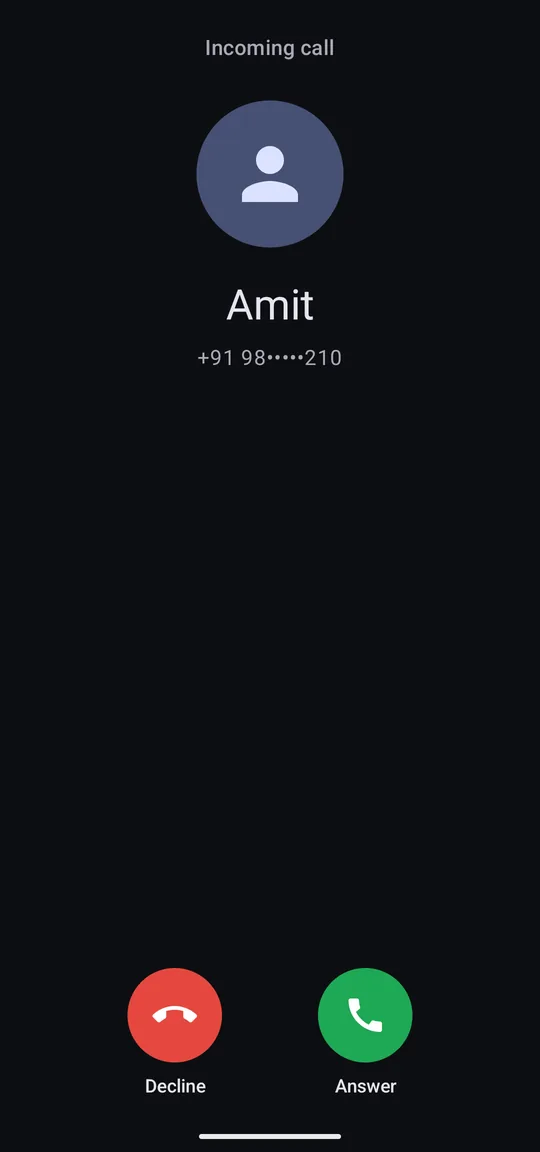
Incoming call
Rahul
+91 98•••••210
Why it's different
Most apps can rename a caller. Only Caller Rotator turns one number into a list of labels that take turns, inside a full Phone app that works without the internet.
A contact gets one fixed name. Caller Rotator gives one number the next label from your list on every call, in your order, with no repeats until the cycle is done.
It becomes your default Phone app through Android's own setting and draws its own call screen. No pop-ups on top of another app, no accessibility tricks.
The app does not even ask for internet access. Your number, your labels and your history never leave your phone.
Labels change nothing for the caller: not what they see, not their number, not caller ID on the network. Your call screen still shows their number under the label.
See the app
Real screenshots with demo contacts. The app follows your wallpaper colours and your light or dark setting.
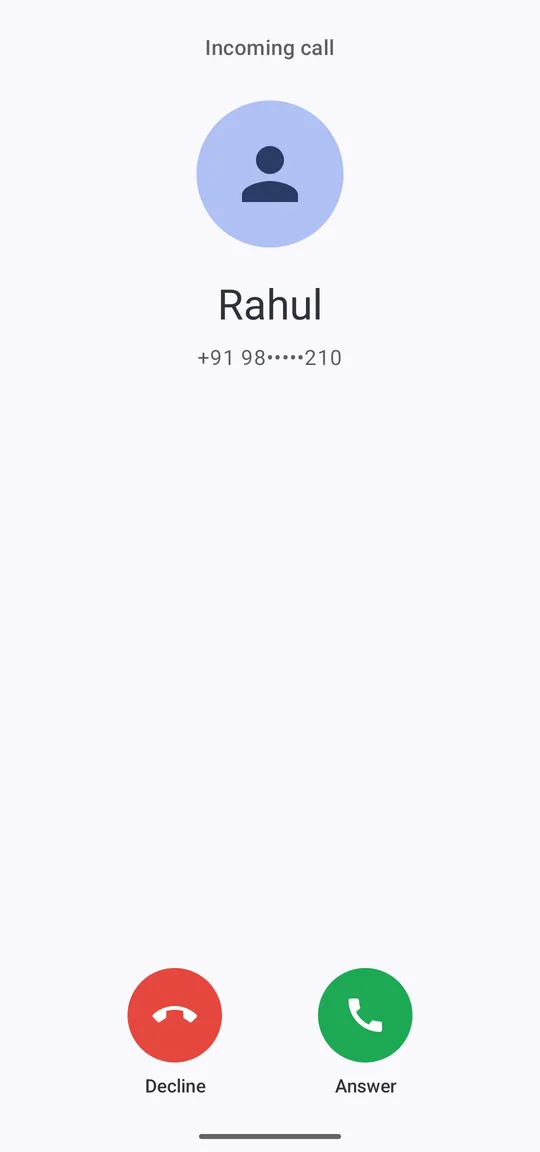
A call from your chosen number shows the next label, with the number under it.
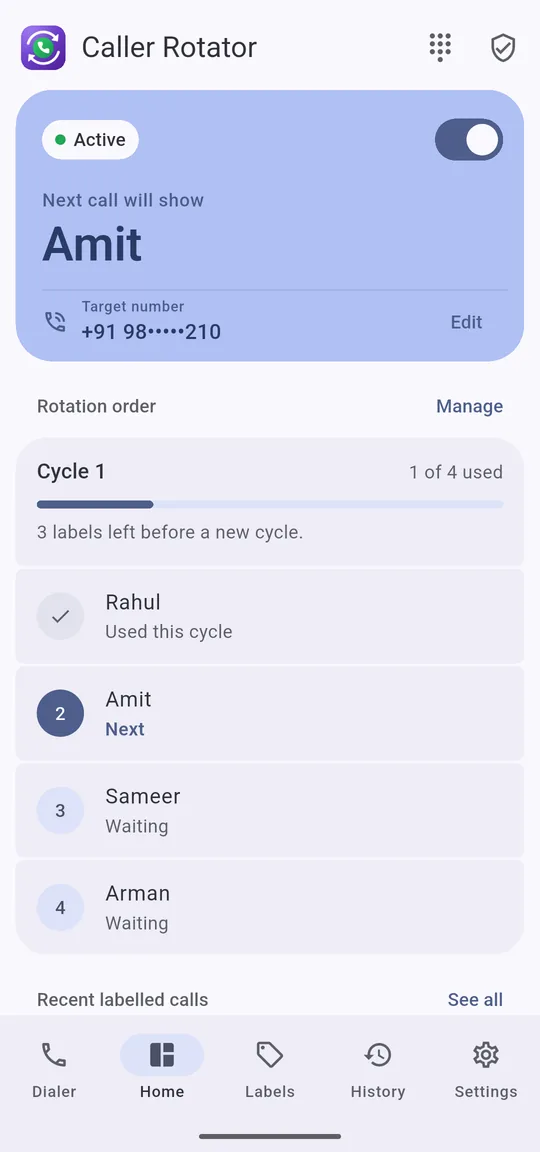
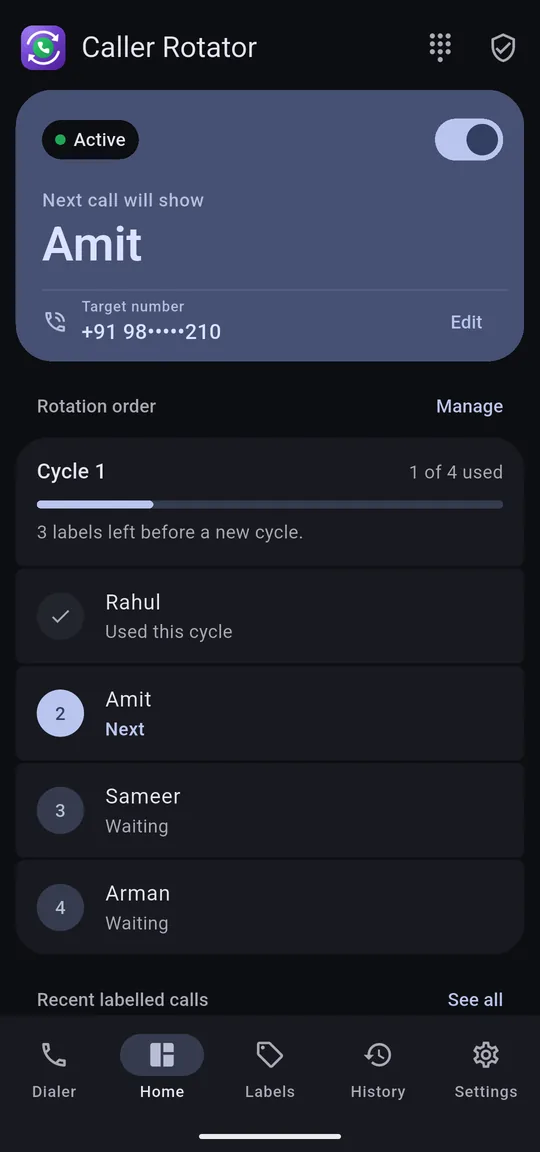
See which label the next call will show, and where you are in the cycle.
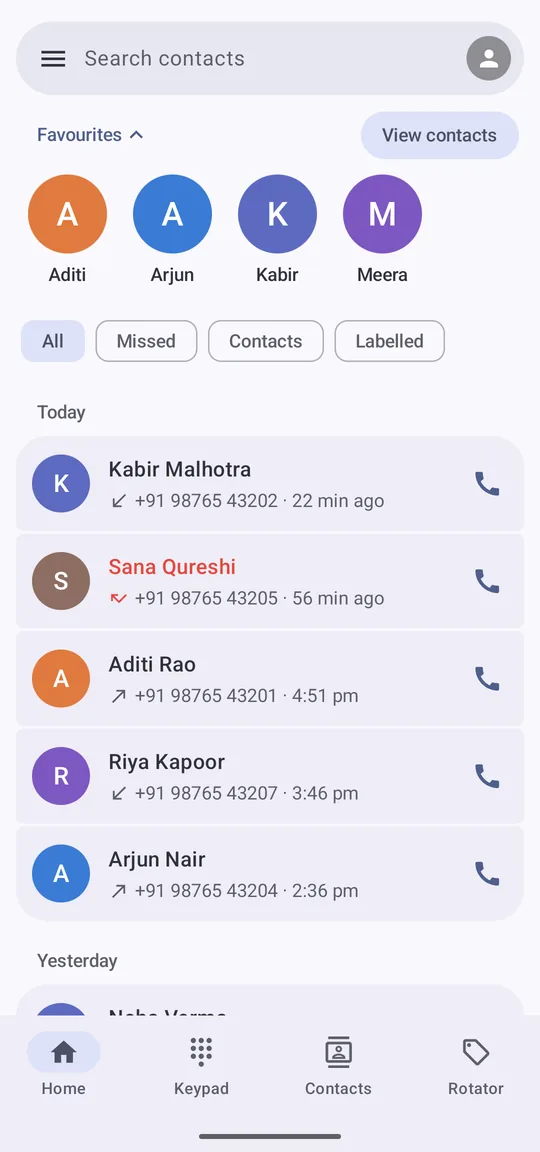
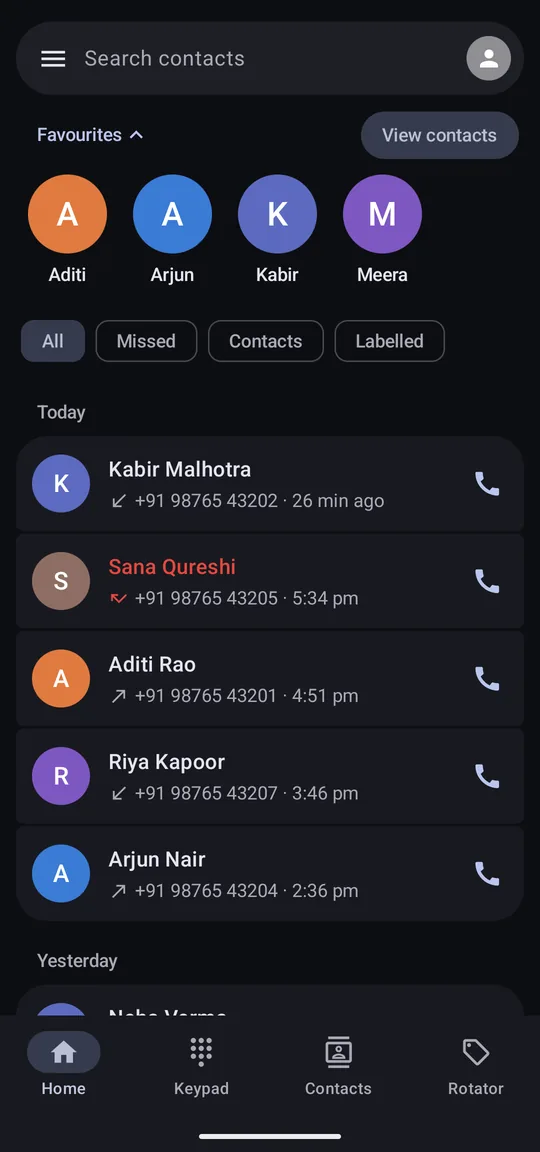
Favourites, calls grouped by day, and filters for Missed, Contacts and Labelled.
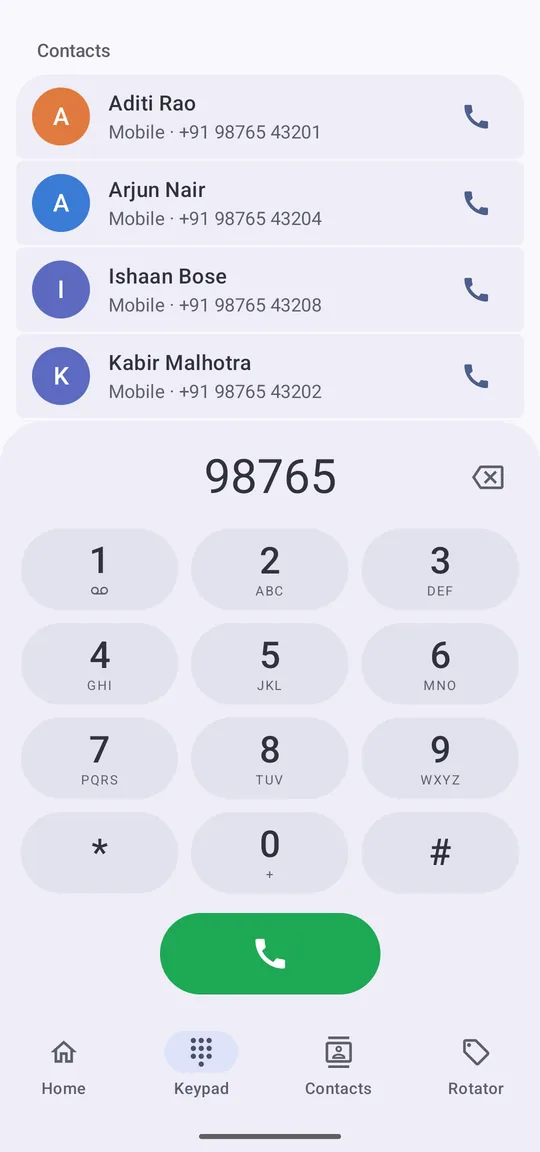
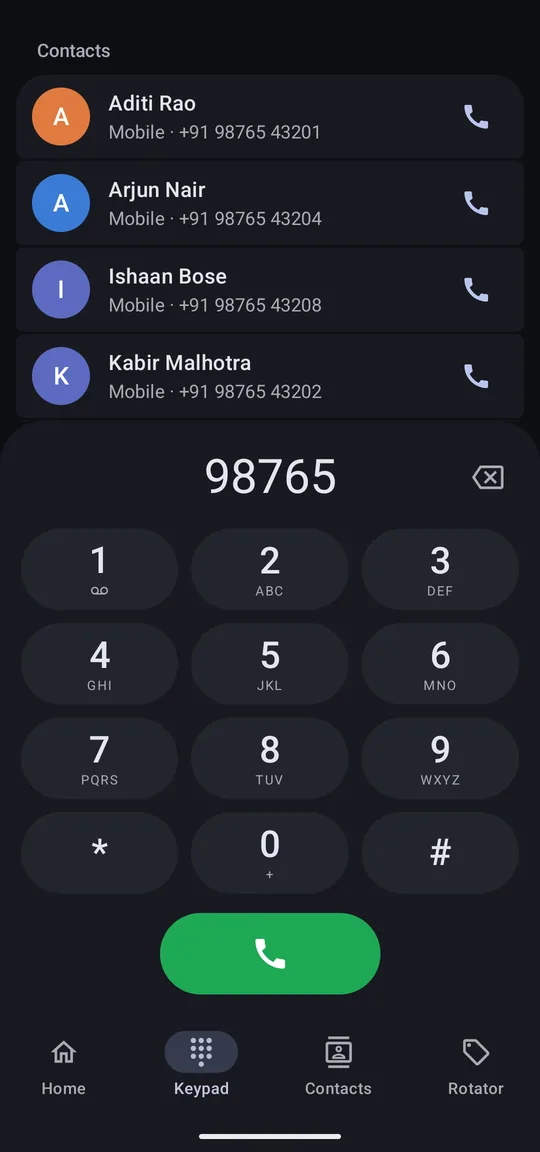
Matching contacts show up as you type a number.
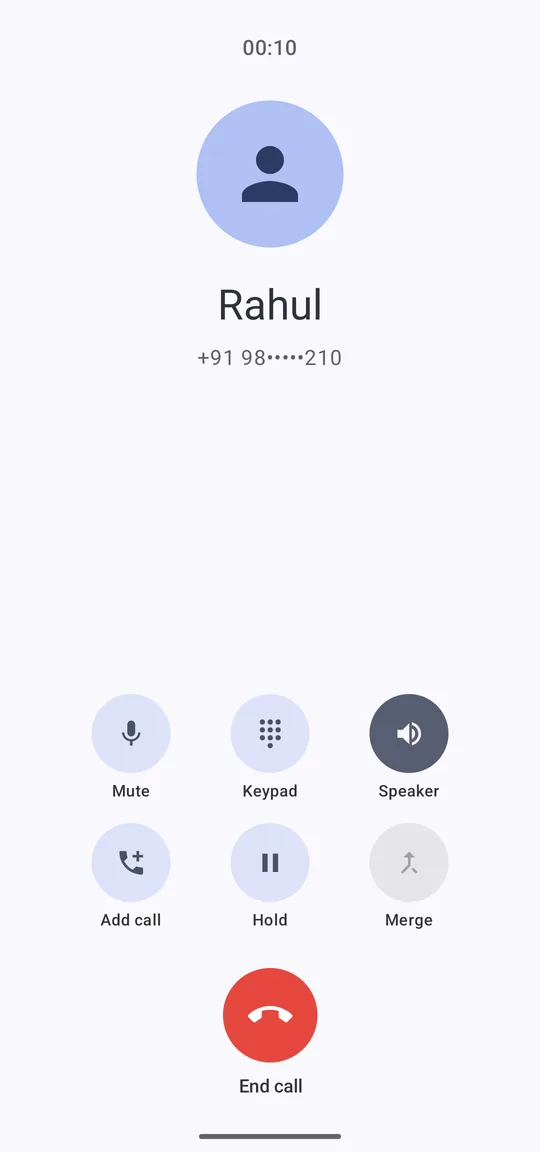
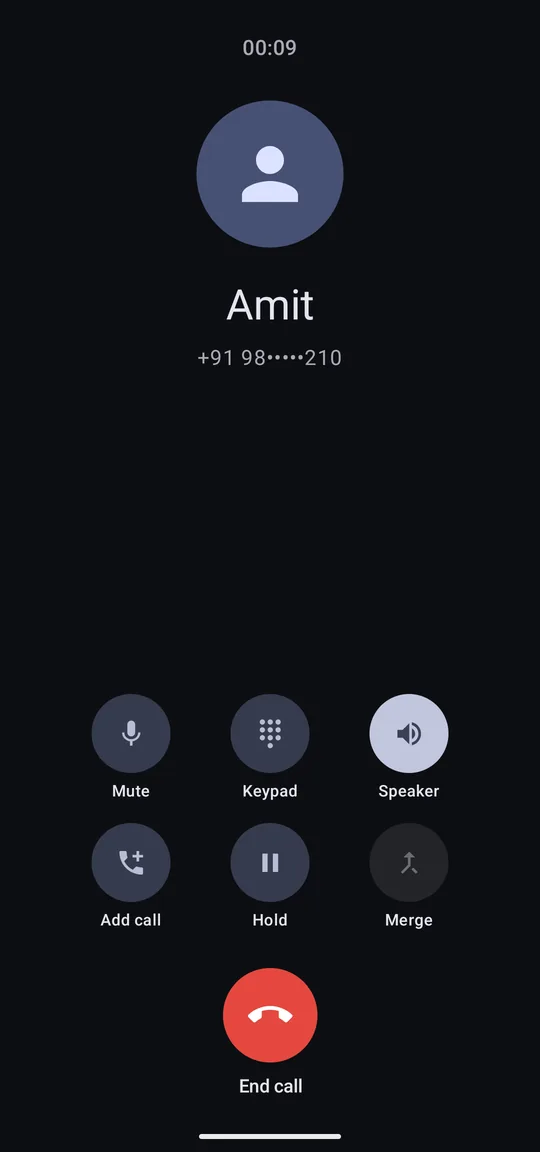
Mute, keypad, speaker, add call, hold and merge.
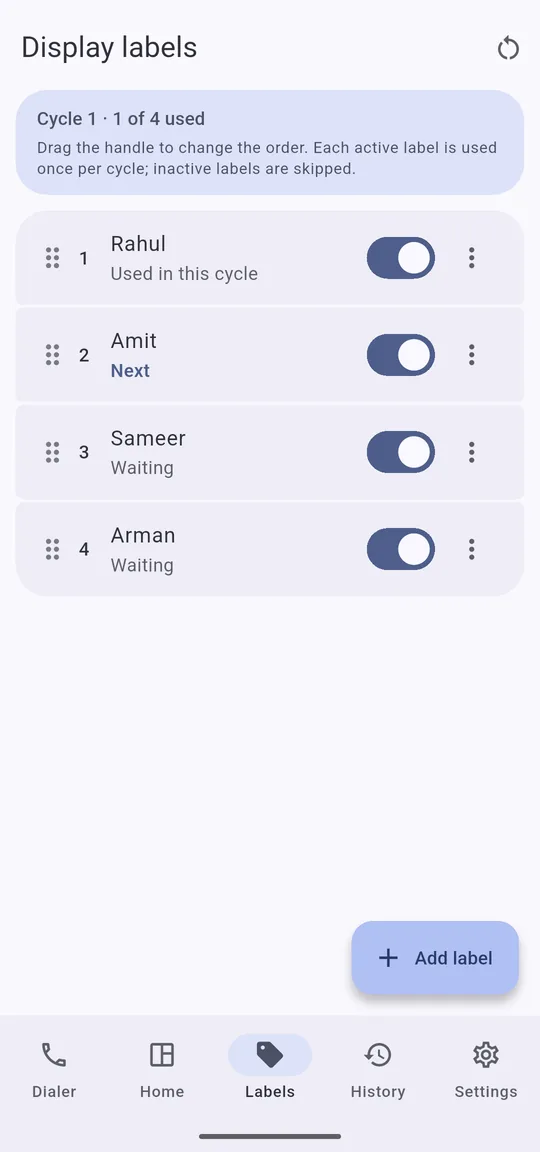
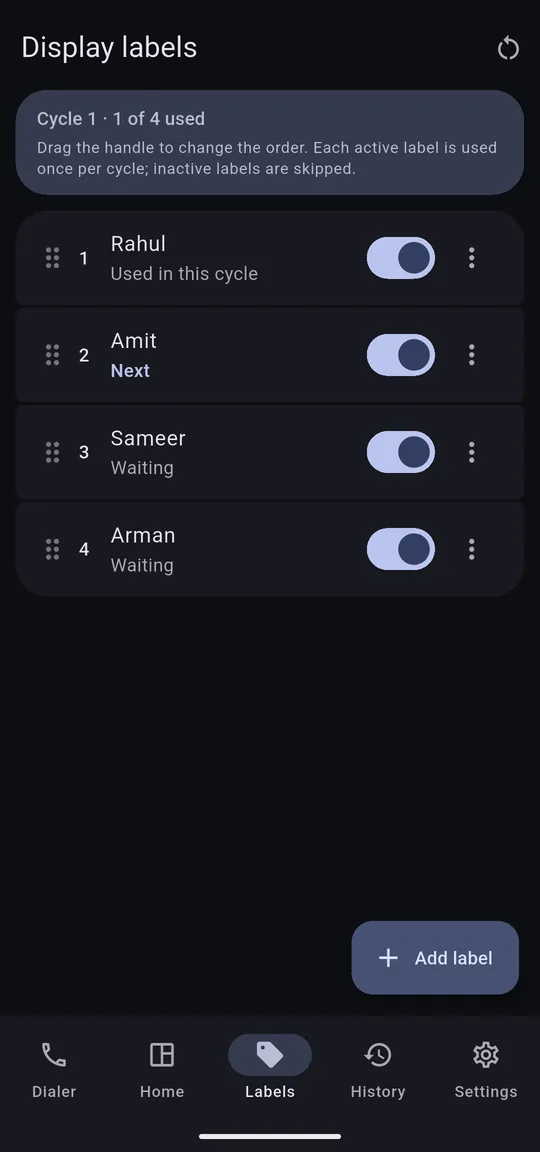
Add labels, drag to change the order, or switch one off.
How it works
Android asks you once. You can switch back to your old Phone app at any time in Settings › Apps › Default apps.
For example Rahul, Amit, Sameer. Drag to set the order, and turn single labels on or off.
Each call from that number shows the next label. After the last one, a new cycle starts from the top.
Rotation order
Cycle 1
0 of 4 used
Tap to see which label the next call gets.
Features
Labels are the extra. Under them is a complete dialer you can use every day.
Favourites up top, calls grouped by day, and filters for All, Missed, Contacts and Labelled.
Finds contacts as you type. Tap inside the number to fix one digit. The keypad slides away when you scroll.
View, add and edit contacts and your own profile without leaving the app.
Mute, speaker and Bluetooth, keypad, hold, add call, swap, and merge where your network supports it.
Copy a number, edit it before calling, block it, or delete the call from your history.
Colours follow your wallpaper (Material You), in light and dark mode.
Caller Rotator works entirely on your phone. There is no server, so there is nothing to send.
Delete everything at any time: Settings › Delete all local data. Uninstalling removes it too.
Read the privacy policyFAQ
No. Labels are shown only on your phone. The caller sees nothing different, and their real number and caller ID on the network do not change.
Android lets only the default Phone app draw its own call screen. That is how the label can appear when the call comes in.
Yes, at any time in Settings › Apps › Default apps. Its normal call screen comes back and no labels are shown.
Emergency calls always use your phone's built-in Phone app. This is an Android safety rule.
No. The app does not have the internet permission at all, so your data cannot leave your phone.
Phones with Android 10 or newer.
A complete Phone app with private labels that take turns. Nothing to sign up for, nothing sent anywhere.